

Odoo Offline, Built to Move Your Business Forward
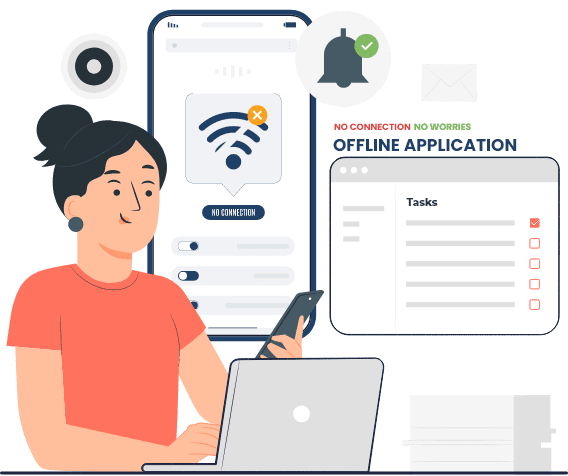

Odoo offline mode runs one of two ways:
Automatic Mode
In automatic mode, the device stays in sync with the Odoo server whenever the network's available. When it's not, the mobile device stores information locally with a timestamp, then uses that timestamp to catch up the moment connectivity comes back.
Manual Mode
In manual mode, you decide when to sync. A button in the offline application lets the user request synchronization on demand, using the same timestamp logic to pull in the most recent updates from the Odoo host, the manual side of odoo offline mode for teams who'd rather control the sync themselves.
Functional Features
Sales & CRM
The salesperson can create and modify leads and work on opportunities, generate a quote directly from an opportunity, and confirm the Sales Order, all with access to whatever promotions, discounts, and financing options are active at that time.
Field Service
Odoo field service through Comstar USA's Offline application lets a service person handle every installation and service task without needing a connection. Representatives can pull up customer and equipment data offline, log time spent once a job's done, update equipment records, schedule a follow up appointment, and generate new quotes and Sales Orders right from the field, all through the same odoo mobile application used everywhere else.
Delivery
The delivery driver can download routes and orders into the offline application. As deliveries happen, the delivered amount updates and uploads at the end of the route, or anytime a network becomes available along the way. Routes come down from the Odoo server, and the driver can reorder stops based on traffic or last minute changes.

Odoo API
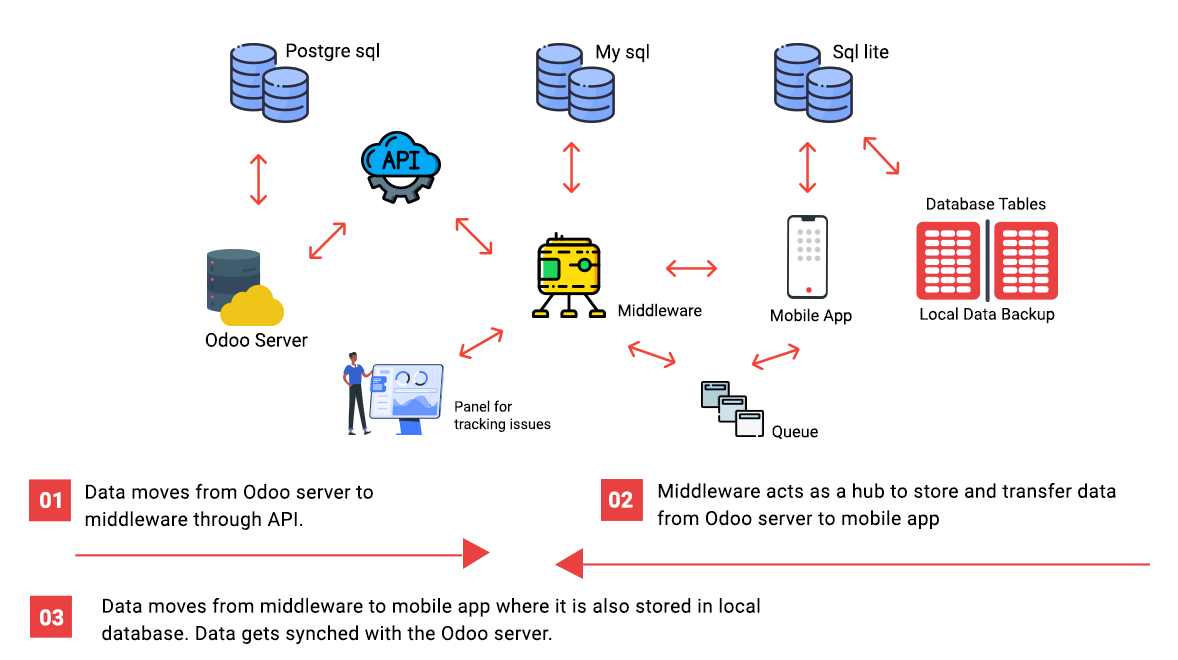
Odoo functions reach the mobile device through a set of API calls. The API makes sure every application level validation still applies when data moves in and out of the Odoo server, and each call handles a complete function with proper data encapsulation.
Middleware
The enterprise service bus guarantees messages deliver in the order they were sent, which matters for data integrity. The middleware layer runs on its own cloud server as a SAAS model, and each offline implementation can run its own middleware or share one layer across multiple installations.
Mobile Application
Our odoo mobile application uses native Android and iOS features, not a wrapped web view, to bring Odoo's functions onto your device with a genuinely mobile friendly experience, the same app an odoo field service technician relies on out in the field.
Local Data store
The Offline module downloads data from the Odoo server and keeps a local copy, maintained in the device database if connectivity drops. Transactional data also gets saved to a local backup store, so it can be recovered even after a catastrophic failure.
Panel for tracking issues
In real time, the panel tracks message activity and traffic volume, helping identify issues and bottlenecks as they happen, connected directly to the middleware.
Why Us?
Not every ERP vendor builds real Odoo Offline support, most just assume you'll always have a signal. We built odoo offline mode to actually hold up in the field, whether that's an odoo field service technician mid installation or a sales rep working a route with no coverage. The same odoo mobile application that runs online keeps working offline, so your team never has to stop and wait for a bar of signal to show up.
FIND OUT TODAY →