
“What if your next big sale is not limited by inventory, showroom, or sales team, but by disconnected business data behind the scenes?”
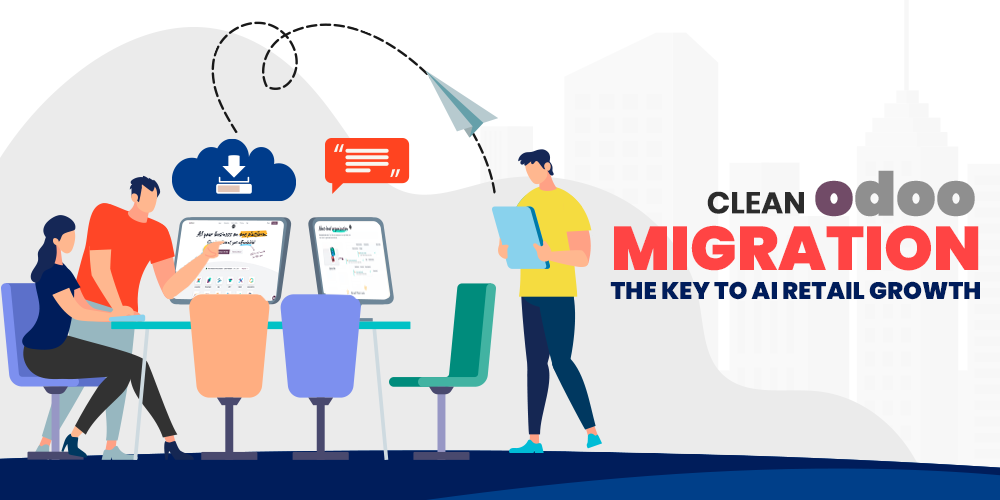
Under normal circumstances, this kind of chaos wouldn’t matter so much. Customers now expect a smooth experience whether they’re browsing online, walking a showroom floor, or chatting with a designer over email; that expectation isn’t new, but the gap between it and reality keeps growing. Scattered across five different tools that don’t talk to each other is exactly where most of this business data ends up. This is exactly where Odoo data migration enters the picture, and it’s arguably one of the most overlooked steps in modernizing a retail operation.
To be fair, most retailers don’t think about data migration until they’re forced to. Years of customer records pile up. Supplier contracts, inventory counts, and sales history follow right behind them, usually into old software or (worse) someone’s personal spreadsheet that only one person knows how to update. Feeling a properly intimidating task, at least in my experience talking to people who’ve been through it, is often the first reaction before anyone’s even opened the new system.
Why Interior Design Retailers Struggle with Scattered Data
So, what makes this industry different? Multiple finishes. Custom dimensions. Pricing tiers that shift depending on the supplier or the season (and sometimes shift again mid-quarter without much warning). Realistically speaking, that’s a lot more complexity than a typical retail SKU list.
Not exactly plug-and-play.
Which means, when a business finally decides to modernize, the data isn’t just “moved.” It must be examined, cleaned, deduplicated, and mapped correctly. Inheriting all the same problems as the old system just with a nicer interface happens when that step is skipped. Odoo migration services exist for precisely this reason: to take that messy, inconsistent information and turn it into something a business can actually use.
It happens more than people expect.
What Odoo Data Migration Actually Involves
To some extent, people assume migration means copying files from Point A to Point B. Nope. Auditing existing databases, flagging duplicate or outdated records, cleaning up inaccurate entries that’s the real work of a proper Odoo ERP migration, and it happens well before anything goes live.
Total silence on the old system, ideally, until everything checks out.
But here’s the thing rushing this part tends to produce the very kinds of costly errors retailers were trying to avoid in the first place (especially once thousands of product variants and years of customer histories are thrown into the mix). Only as good as the cleanup work that happens before it, down to a certain point, is what the entire migration ultimately comes down to.
Breaking Down Data Silos with Retail ERP Software
Could theoretically every department keep using its own separate tool forever? Sure, technically. It’s more of a slow leak, though one that most businesses don’t notice until productivity has already quietly drained out of the room.
One of the bigger wins with moving to Odoo is eliminating those silos altogether. Sales, inventory, accounting, purchasing, CRM, and eCommerce can all live inside one platform: no more duplicated entries, no more guessing which version of a number is current. Quietly reshaping how departments actually work together, more than people initially expect, is what tends to happen once that silo wall comes down. As far as I can tell, this is one of the more underrated benefits of solid retail ERP software.
Fewer headaches. That’s the whole pitch, really.
AI-Powered ERP and Why Clean Data Matters More Than People Think
Here’s where it gets interesting, or at least seemingly so. Garbage in, garbage out that old rule hasn’t gone anywhere. An AI-powered ERP can theoretically forecast demand, segment customers, and recommend products automatically (assuming, of course, the underlying records aren’t a mess).
Why would a retailer invest in AI capability without first fixing the data foundation? Presumably, they wouldn’t, at least not successfully. Demand forecasting, purchasing predictions, sales analysis all of it becomes realistic once information is clean and centralized inside Odoo, instead of buried in spreadsheets that might just be outdated by the time anyone opens them.
Not a small shift, either.
Downtime, Security, and Other Things Nobody Warns You About
But what about the actual switchover doesn’t that mean shutting everything down for days? Not necessarily, though it’s a fair concern, especially for showrooms that can’t afford interrupted order placement or customer service gaps.
Keeps critical functions running while data is moved, tested, and verified behind the scenes; that’s the whole point of a phased ERP data migration approach. Every product catalogue, customer profile, financial record, and transaction history gets checked, line by line, before the new system officially takes over.
Downtime, minimized. Not eliminated but minimized.
To be honest, security deserves just as much attention here (it’s often treated as an afterthought, which it really shouldn’t be). Sensitive by nature, customer information, financial records, supplier agreements, and any migration partner worth hiring should be treating that data with the same seriousness a bank would treat account records. Odoo’s environment supports this, but the implementation team’s practices matter just as much as the software itself.
Why the Implementation Partner Actually Matters
Realistically, could a business attempt this migration on its own? Sure, some do. Different inventory structures, customer habits, and vendor relationships mean every interior design retailer has its own quirks, and a one-size-fits-all migration script tends to fall apart quickly when it encounters such variation.
This is roughly the reasoning behind working with an experienced Odoo implementation partner rather than going on it alone. ComstarUSA, for instance, approaches this with a structured process: assessment, data cleansing, migration, testing, training, and post-launch support, all handled by a team that’s done these enough times to know where the usual pitfalls hide.
Not a guessing game, ideally.
Caveat worth mentioning, though migrations aren’t magic. Legacy systems sometimes store data in formats that don’t map cleanly to Odoo’s structure. Custom pricing rules occasionally need manual reconciliation, and every so often, tucked somewhere in a decade of legacy records, is a batch of entries that no automated script can confidently sort out on its own. As far as I can tell, any partner claiming a flawless, zero-friction migration every single time is probably oversimplifying reality.
Another honest caveat: staff training is skipped more often than it should be. Three months later, still entering orders the old way out of pure habit that’s what a perfectly migrated system looks like when nobody bothered training the showroom team.
Wrapping This Up
So where does that leave interior design retailers as they weigh this decision? Digital modernization arguably starts with trustworthy data, not fancy dashboards or AI features tacked on afterwards. More than a new interface, that’s what moving to Odoo delivers, along with a foundation for AI capability, better cross-department visibility, and room to scale without dragging along years of disorganized records.
With ComstarUSA guiding the process, the migration becomes less a leap of faith and more a managed, verified, and tested transition. For a business whose most valuable asset is arguably its data, that seems like the more sensible approach.
FAQ
So, does Odoo data migration always cause downtime?
Not necessarily. Running in parallel while data gets verified is basically how a phased approach avoids the worst of it, though “zero downtime” is a promise worth being sceptical of.
How long does an Odoo ERP migration typically take for a retailer with a lot of SKUs?
It varies quite a bit, honestly. Faster for straightforward inventory. Slower sometimes considerably slower for a business sitting on thousands of variants, custom pricing, and years of legacy records that all need to be cleaned up before testing can even begin.
Can a retailer just migrate the data without a partner?
Technically, sure. Between mapping data correctly, catching duplicate records, and configuring modules to match actual workflows, though, most businesses find it’s not worth the risk of doing it without experienced help.
Is AI only useful after migration, or can it help during the process too?
Mostly after, at least in a meaningful way. Layered onto a messy legacy system, even the best AI tools tend to produce results nobody should really trust.
Ready to migrate your data? Talk to ComstarUSA about your Odoo migration: