
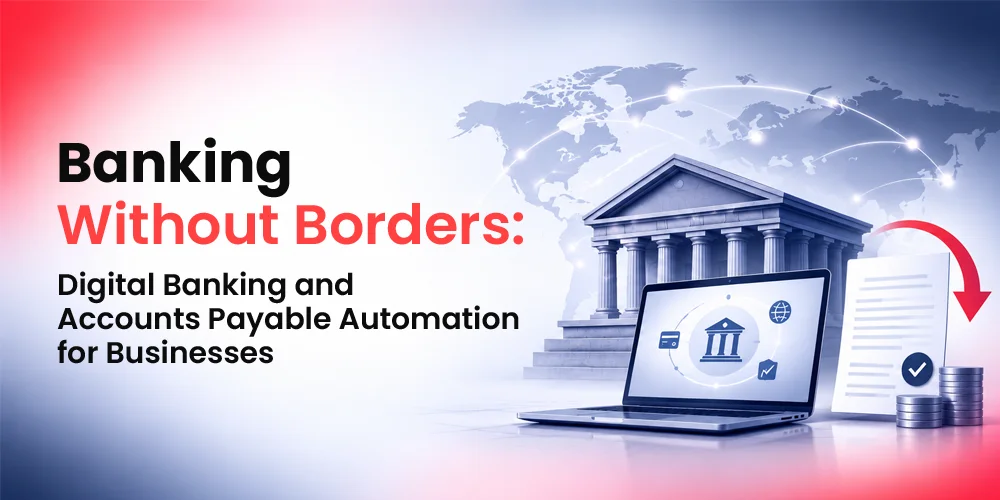
Banking has changed a lot over the last ten years. Customers no longer need to visit a branch to transfer money, check balances or pay bills. Mobile apps and digital transactions have made everyday banking quicker and more accessible. Businesses feel the same shift, as customers expect convenient payment options and suppliers want timely settlements. Meeting these expectations requires more than a bank account. Companies also need efficient financial processes, including accounts payable automation, to manage invoices, payments and accounting records without unnecessary delays.
How Digital-First Banking Is Changing Expectations
Digital-First Banking has changed the way people use services. Customers can check transactions, move funds and pay bills through apps without going to a bank. This ease of use also changes what customers expect from businesses. They want payment options, clear invoices and quick updates. A customer can pay an invoice online in a few minutes, yet the experience still feels slow if a business takes several days to update its records. Companies must think about the financial journey, from sending an invoice to confirming payment. Faster banking is helpful. Internal processes must keep up.
Why Businesses Need Connected Financial Processes
Many organisations still run activities in separate apps, spreadsheets and hand‑written records. One tool may handle customer invoices, another may handle supplier bills, while employees edit accounting records in a place. This can cause repeated data entry, missing details and needless delays.
Accounts payable automation helps businesses organise how they receive, review and track supplier invoices. By relying only on manual work, teams can use software to keep bill details and payment obligations in one place. It makes information easier to handle while keeping employees in charge of reviewing and approving payments. Connected records also help accounting, procurement and management teams use the information. As transaction volumes grow, accounts automation can make routine invoice handling easier.
The Role of Odoo in Business Finance
Digital banking gives the structure for holding and moving money. Businesses also need tools to manage the work around those transactions. Odoo supports this side through its Accounting application and connected business management features. It helps companies handle customer invoices, supplier bills, payment records and accounting data inside one system.
Businesses can create customer invoices, record vendor bills and monitor amounts that are still owed in Odoo. Its accounting features also help with payment registration and bank reconciliation. Depending on the banking integration that’s available, transactions can be imported and checked against accounting records.Odoo does not replace banks or core banking infrastructure. Banks still provide accounts and payment services, while Odoo helps businesses organise the processes around them.
Making Invoice and Payment Management Easier
Invoices show what customers owe, when payment is due and which products or services were supplied. Managing them involves more than making a document. Businesses must watch dates, follow up on unpaid amounts and record payments correctly. Invoice Automation helps make these routine tasks more organised and cuts down on work. Odoo gives tools for creating, sending and tracking customer invoices, well as recording supplier bills and outstanding balances. When a customer pays an invoice, the finance team must link that payment to the accounting entry. Odoo supports payment registration and reconciliation, helping teams match transactions with the records.
Accounts payable automation also helps manage supplier bills. Businesses can follow invoices, review amounts due and keep clearer payment records. Employees should still check invoice details. Follow approval steps. Effective Invoice Automation should make these processes easier without taking financial oversight.
Why Bank Reconciliation Matters
A payment that shows up in a bank account does not automatically mean that internal records are finished. Finance teams need to verify whether bank activity matches invoices, payments and accounting entries. This process, called bank reconciliation, helps find transactions and differences between records. Odoo supports bank reconciliation by letting businesses review imported transactions. Match them with existing entries.
Depending on the settings, the system may suggest matches for customer invoices, supplier bills or payment records. Finance employees can review these suggestions. Fix transactions that do not match. Financial Workflow Automation makes this work easier by linking payment records with accounting activities. However, automation should support oversight, not replace it. Teams still need to investigate discrepancies and confirm that records correctly reflect business activity.
Improving Financial Workflows Beyond Payments
Business finance is more than receiving money and paying suppliers. Business finance also involves managing expenses, keeping purchase records, getting approvals and doing reporting. When departments use processes, information scatters and routine tasks take longer. Financial Workflow Automation creates processes for handling financial information. For example, when a supplier invoice arrives, Business finance must check the details, record the bill and arrange the approval before making payment.
Accounts payable automation is very useful for organisations that handle invoices or work with many suppliers. Accounts automation reduces repetitive data entry and gives clear visibility into upcoming obligations, while employees stay responsible for checking bills and authorising payments.Odoo can also link accounting with business applications, depending on the modules used. This cuts down the need to keep records for related operational and financial activities.
Keeping Digital Financial Processes Secure
As financial activities move online, businesses must pay attention to account security, access permissions and internal controls. Not every employee needs access to every record. Organisations should give permissions based on job responsibilities. Review them when roles change. Companies should also keep backups, follow proper security practices and look into unusual activity. Odoo can organise records and user permissions. Odoo does not replace security measures from banks, payment providers or broader IT infrastructure.
Preparing for a Digital-First Financial Future
Businesses can begin by reviewing how they create invoices, manage supplier bills, record payments and reconcile bank transactions. They should find tasks that involve repeated data entry, disconnected applications or delays in updating records. The aim is to make routine work more consistent while keeping the checks in place. Invoice Automation reduces effort in invoice handling, while Financial Workflow Automation helps teams coordinate related activities and keep clearer financial information. Used carefully, accounts automation can also make supplier bill management easier to track without removing employee oversight.
For organisations considering Odoo, its Accounting application offers tools for invoicing, vendor bill management, payment registration and bank reconciliation. These features also support accounts payable automation, helping businesses organise supplier bills and manage payment records more efficiently. Available functions depend on configuration, integrations and modules used. Odoo complements existing banking services by supporting the business processes around transactions; it does not replace banks, payment networks or core banking systems. Digital-first banking has made financial services more accessible. Businesses can respond by improving the systems they use behind the scenes. When banking services, accounting tools and internal procedures work together, finance teams can spend time managing scattered records and more time understanding their financial position.