
Picture a busy Saturday at a parts counter. The order is already rung up in Odoo POS and the customer is holding out a card. The cashier turns to a standalone credit card terminal and types in $482.16 by hand. Most days that works fine. On the day it doesn’t, someone stays twenty minutes after closing trying to work out why the register report and the processor report are $43 apart.
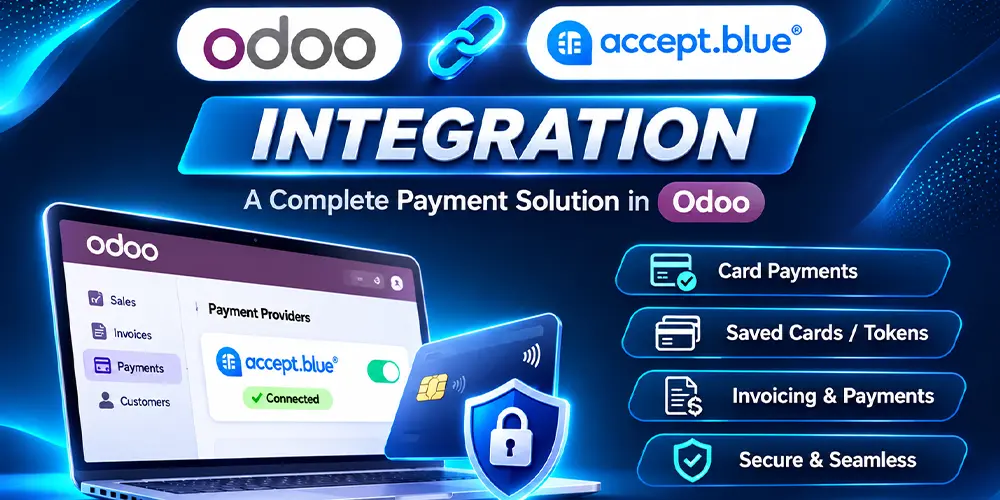
We built a fix for that gap. If you process with accept.blue, ComstarUSA’s accept.blue Odoo POS integration now turns any Equinox payment terminal into a connected Odoo POS payment terminal for card-present payments. The cashier rings up the sale in Odoo, the customer inserts, taps or swipes on the Equinox terminal, and the approved payment lands back on the order. Nobody retypes a number.
What “card-present” actually means
Card-present payments happen when the physical card is at the terminal during the sale and the terminal reads it directly, from the chip, the contactless antenna or the magnetic stripe. Typing a card number into a web form, a payment link or a virtual terminal is card-not-present, even if the customer is standing right in front of you.
Processors treat the two very differently. Chip and contactless reads are hard to counterfeit, so card-present sales carry less fraud risk and usually lead to fewer disputes. They are also commonly priced below keyed or online transactions. accept.blue or your merchant services provider can tell you your exact rates. And when a chip card is dipped at an EMV-capable terminal, liability for counterfeit fraud generally shifts to the card issuer instead of you.
So if your staff regularly key in cards for customers who are right there at the counter, you are probably paying more per sale and carrying more risk than you need to. Switching to card-present payments through an Odoo payment terminal fixes both.
How a card-present sale runs in Odoo POS
Taking a credit card payment in Odoo POS follows the routine your cashiers already know. The only difference is that card amounts are no longer typed twice. Here is a normal shift from open to close:
- Open the register. On the Point of Sale dashboard, the cashier clicks Open Register and enters the opening cash in the drawer.
- Add the customer, if you track one. Pick an existing contact or create a new one so the sale shows up in their purchase history.
- Ring up the items. Tap products, search by name or scan barcodes. Quantities, discounts and pricelists work as usual.
- Click Payment. Odoo opens the payment screen with the order total.
- Take the payment.
- Card: choose the accept.blue card payment method. Odoo sends the amount to the Equinox payment terminal and the customer inserts, taps or swipes their card. Once accept.blue approves the charge, the payment line is marked as paid.
- Cash: choose Cash and enter what the customer handed over. Odoo works out the change.
- Split: put part of the total on a card and the rest in cash, on the same order.
- The cashier clicks Validate. Odoo prints or emails the receipt, updates inventory and clears the screen for the next customer.
- Close the register. At the end of the shift, the cashier counts the drawer and clicks Close Register. Card payments are already attached to their orders, so the card total in Odoo matches what accept.blue processed. Odoo then posts the session to accounting.
If a card is declined, the cashier sees it on the Odoo screen right away and can ask for another card or switch to cash without starting the order over.
Supported hardware: any Equinox payment terminal
You don’t need a particular model. The accept.blue Odoo POS integration works with every Equinox device, from countertop terminals to mobile card readers, and turns each one into an Odoo payment terminal. If you already have Equinox devices on your counters, you can most likely keep them. We confirm your hardware during setup.
If you are buying new, the Equinox Luxe line covers most setups:
| Model | Good fit for |
| Luxe 8500i | Countertop checkout with a 5″ touchscreen for signatures |
| Luxe 6200m | Modular setups that move from the counter to the warehouse floor or a delivery truck |
| Luxe 3300a | Compact all-in-one checkout |
| Luxe 6700x | Newer connected retail terminal |
Luxe terminals read chip (EMV), contactless (NFC) and magnetic stripe cards. Many models also connect over Wi-Fi, Bluetooth or 4G LTE, which helps if you take payments on a warehouse floor, at a job site or at a customer’s door.
Why connect your payment terminal to Odoo POS
The first win is accuracy. Your Odoo POS payment terminal gets the amount straight from the Odoo order, so the classic slip of charging $1,250 for a $125 sale goes away.
Closing gets faster for the same reason. With an Odoo payment terminal, every card payment is already tied to its POS order, so there is nothing left to match up at the end of the night.
It also keeps your card processing in one place. In-store sales run through the same accept.blue account you use for website checkout, invoice payment links and ACH through the accept.blue connector. One processor, one statement, and one place to look up any transaction.
And because the sale closes inside Odoo, stock and journal entries update the moment the order is validated. The counter, the warehouse and your accountant all see the same numbers.
What you need
| Requirement | Details |
| Odoo versions | 17, 18 and 19 |
| Odoo edition | Enterprise, with the Point of Sale app |
| Hosting | Odoo.sh, on-premise or private cloud (AWS, DigitalOcean and similar). Odoo Online is not supported. |
| Gateway | An accept.blue merchant account set up for card-present payments |
| Hardware | Any Equinox payment terminal |
| Currency | USD |
These requirements follow the main accept.blue connector listing on the Odoo Apps Store.
Frequently asked questions
Can I connect a payment terminal to Odoo POS with accept.blue?
Yes. ComstarUSA’s accept.blue Odoo POS integration handles card-present payments, so your Equinox device works as an Odoo POS payment terminal and every card sale is tied to its Odoo order.
Which Equinox terminals can I use as an Odoo payment terminal?
All of them. Any Equinox device can work as your Odoo payment terminal, so you don’t need a specific model.
I already own an Equinox payment terminal. Do I need a new one?
Usually not. We check your existing devices during setup.
Does this work on Odoo Online?
No. You’ll need Odoo.sh, on-premise hosting or a private cloud.
Can the same accept.blue account handle my online payments too?
Yes. Beyond the accept.blue Odoo POS integration, the connector also covers website checkout, payment links on invoices and sales orders, ACH, surcharging and refunds.
Set up your Odoo POS payment terminal
If your cashiers are still retyping card amounts, or your closing report rarely matches the processor’s, this is a straightforward fix. Tell us how many registers you run and which terminals you have, and we’ll walk you through setup and pricing for your Odoo POS payment terminal.
Email [email protected] or visit comstarusa.com.